
Video player help

Corporate users: It is possible that your company is blocking streaming video from getting through your corporate firewalls. If possible contact your network administrator and ask them to allow video streaming rtsp: and mms: protocols on port 80 from win.321stream.net and stream.learn1on1.com our primary streaming servers. If not then you may want to contact sales@softutor.com and inquire about running SofTutor OnLine on your own corporated intranet.

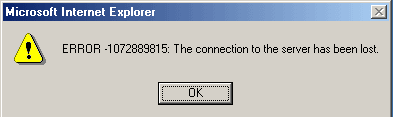
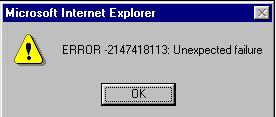
If you see any one of these errors:
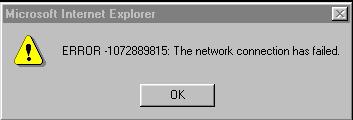
They are generally caused by pausing the video for more than 20 seconds then play it. This is because your connection to the streaming server has timed out. For performance reasons we close open streams that are not being used. In a future release of SofTutor OnLine these error messages will be hidden from the user. Choose OK and replay the video.

If your video player is not displaying. Windows Media Player not installed or configured properly.
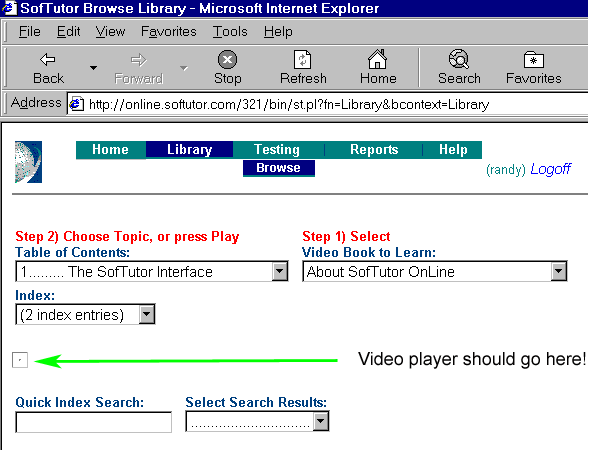
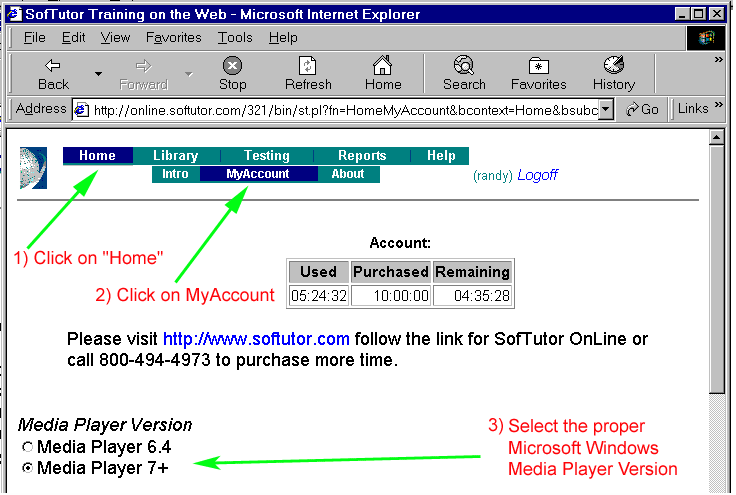
Check to see what version of windows media player you have. If you cannot find a directory called Windows Media Player then its not installed on your system. Click here to get a free windows media player. If windows media player installed is and you are not sure of the version check the the version (see instructions below).
Once you know what the proper version is you can set it. In the "MyAccount" page. By default we set the player to windows media player 6.4, if you have 7.0 or higher you may set it here and get a newer user interface. SofTutor OnLine works with windows media player 6.4 - 9.+.
If you are still having problems make sure you can play other videos in windows media player. Also some times you may need to down load a codec from Microsoft to get the player to play videos. If a message pops up and says that you need to install the codec, say yes at the prompt. Installing this codec should only take a few minutes even on a dial up modem. If you are still having trouble you can email us at support@sofutor.com or call us at 847-382-1532.

Close this window when you are done!